Everything on your PC, one key away.
Kivi is a free launcher for Windows. Press Alt+Space, type a few letters and press Enter to open apps, games and files, do math, set timers, check the weather and a lot more.
Download Kivi 2.8.0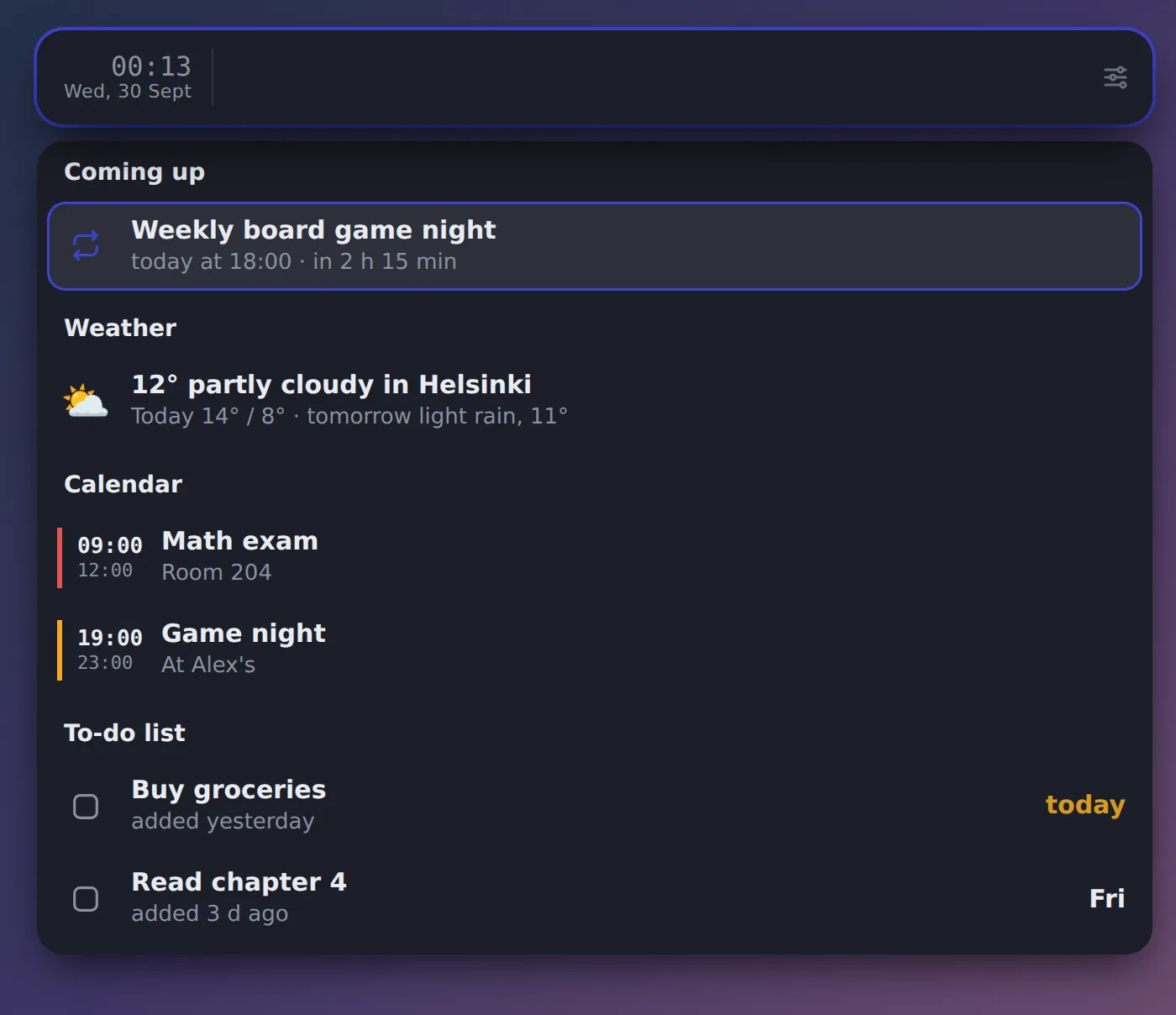
Install in a minute
No installer wizard, no account.
Download and extract
Download Kivi.zip, right-click it and choose Extract All. Put the Kivi folder where it can stay, like Documents\Kivi.
Run install.cmd
Double-click install.cmd in the folder. If Windows asks, choose More info → Run anyway. It gets Node.js for you if it's missing.
Press Alt+Space
Kivi opens anywhere. Type settings to make it yours, or plugins to add extras.
What it does
Type, and the answer is already there. Everything below works right after installing.
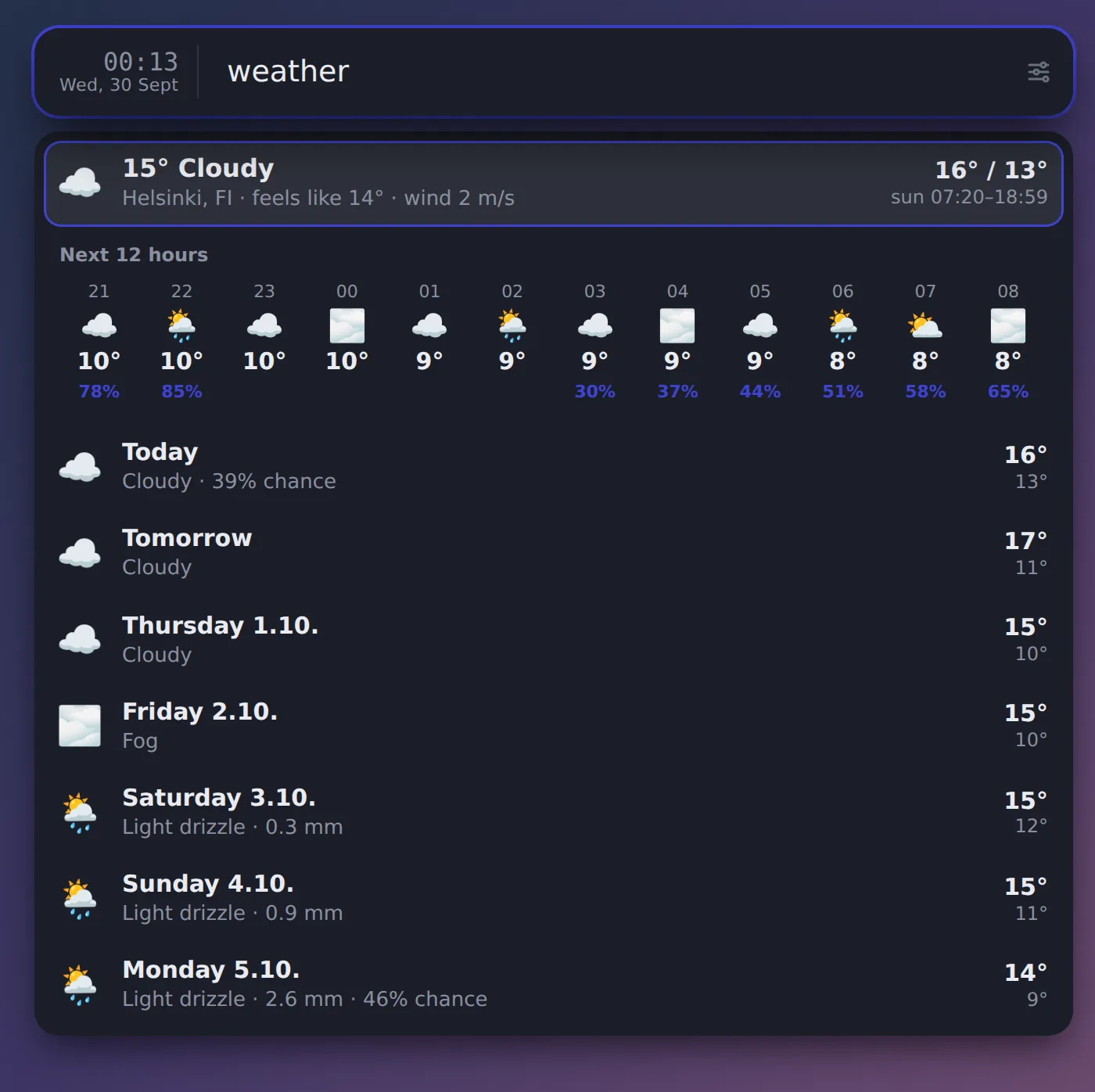
weather Now, the next 12 hours and the week (plugin)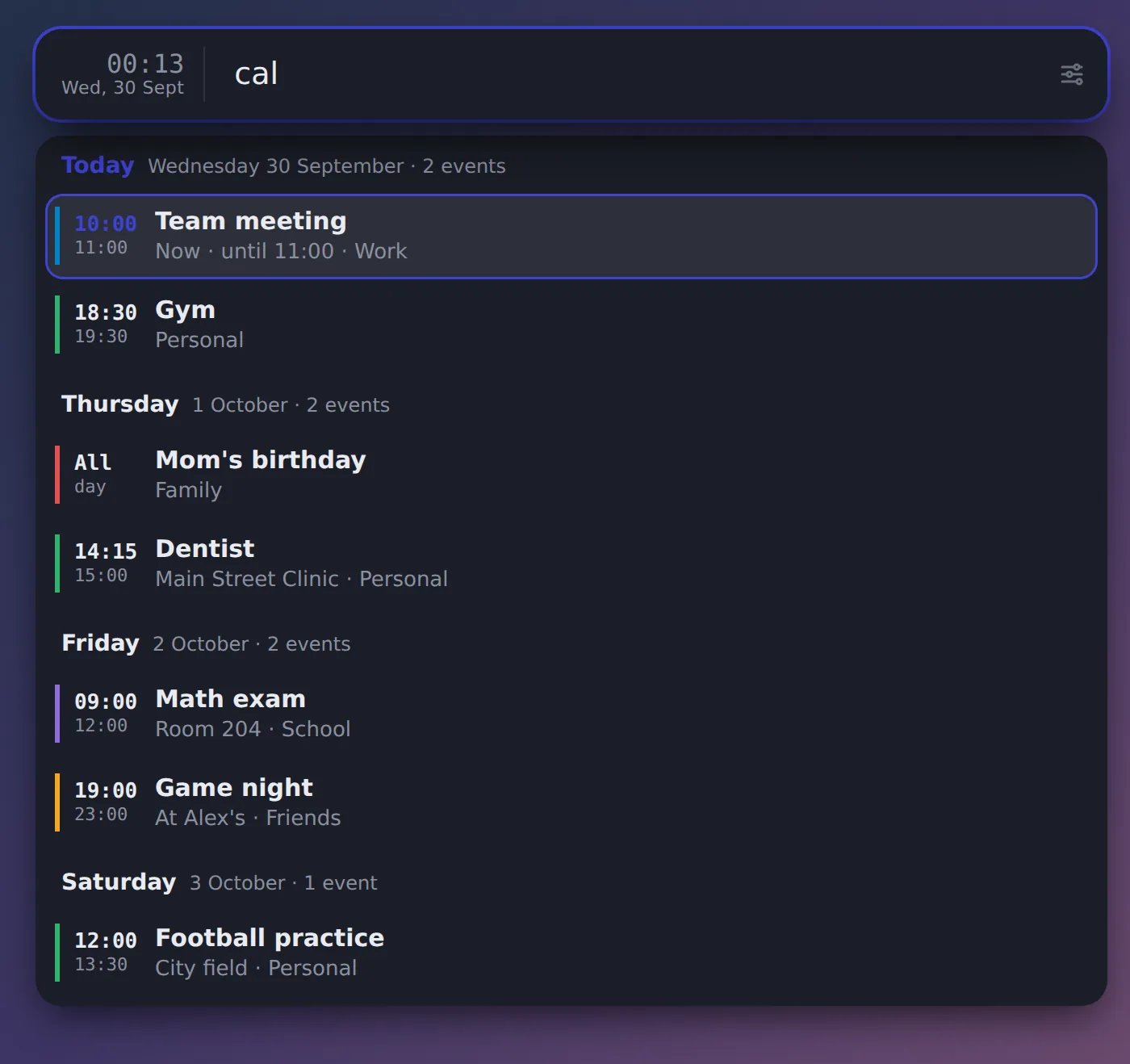
cal Your calendar by day, and cal + fri 18 locals to add (plugin)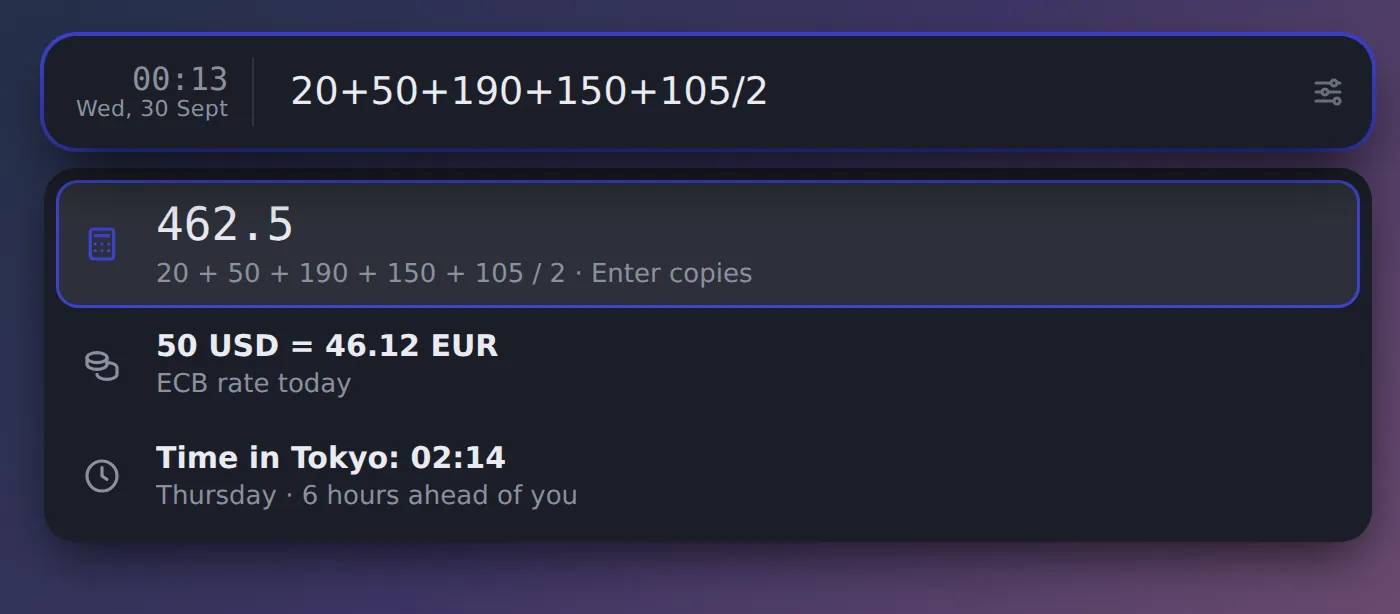
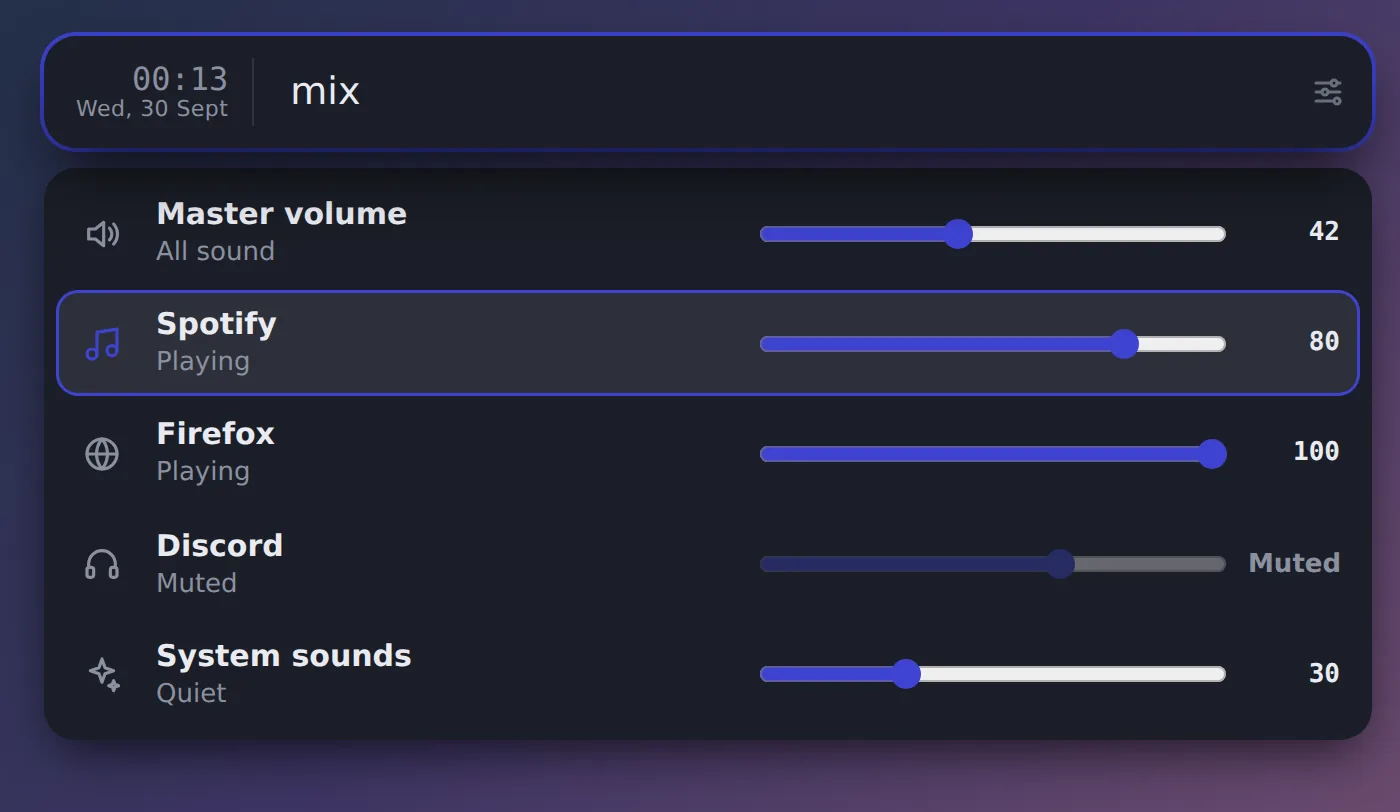
mix A volume slider for every app (plugin)20+50*2, 50 usd to eur, 5 km to mi, time in tokyo.t 25m tea, t fri 17:00 locals, repeating ones too.cb brings back anything you copied.+ buy milk @fri adds a to-do, n for quick notes.tr fi good morning, Chinese with pinyin.The keys worth knowing
Everything else is in the actions panel: press Tab on any result.
Plugins
Extras you add from inside Kivi: type plugins and press Enter on one. They update with update.
- Nextcloud calendar v1.1.0
Your next events from Nextcloud (or any CalDAV server), and adding events by typing them.
- Home Assistant v1.1.0
Turn lights and devices on and off, and set brightness.
- Homelab status v1.1.0
Checks whether your self-hosted services are up, and shows the ones that are down.
- Jellyfin v1.1.0
Continue watching and search your Jellyfin library.
- Kiviniemi dashboard v1.1.0
Your Wilma schedule and messages, the quote, countdowns and the school lunch, from a kiviniemi.org dashboard.
- Lyrics v1.1.0
Lyrics for the song playing now or any song, from LRCLIB and lyrics.ovh, with Genius search by a line of the lyrics.
- Volume mixer v1.0.1
Sliders for the master volume and every app playing sound, like Windows' volume mixer.
- Pokémon TCG v1.1.0
Opponent Log, Limitless tournaments and Labs, player profiles, card lookup, deck prices, and card site keywords like cm and lim.
- Steam v1.1.0
Launch your installed Steam games and apps by typing their name, like Terraria or Aseprite.
- Twinkle Tray v1.0.0
Screen brightness through the Twinkle Tray app.
- Weather v1.1.0
Now, the next hours and 7 days for your place or anywhere, from Open-Meteo. No account needed.
- Wikipedia v1.0.0
Search Wikipedia and read whole articles in the bar, with pictures and sections. Any language.
Help
Windows says "Windows protected your PC"
That's SmartScreen being careful with files from the internet that aren't from a big company. Click More info, then Run anyway. Kivi's code is plain JavaScript you can read in the app folder.
Alt+Space doesn't open it
Another app may use Alt+Space (PowerToys Run does). Kivi then uses Ctrl+Shift+Space and tells you once. Pick any combination in settings → Keyboard.
How do I update?
Type update. Kivi downloads the newest version and your plugins' updates, installs them and restarts. It also tells you when something new is out.
Where is my stuff saved? Is anything sent anywhere?
Everything is in the data folder next to Kivi, as plain files. Nothing is collected. Features only go online for what you ask (the weather, exchange rates, a plugin's service). You can move your data into a synced folder to share it between PCs (settings → Sync).
How do I uninstall it?
- Type
settings→ Behavior and turn off Start with Windows. - Type
quitand press Enter on Kivi: quit. - Delete the Kivi folder, and the Kivi shortcut in the Start menu.